
Support
If you have any problems, please do not hesitate to us at ku.gro.coidsolg@snruterhsirap for assistance. If you are unable to submit your returns using the Online Parish Returns System, you can send your return to us using the forms below and we will enter the data for you.
Forms
Statistics for Mission 2025 – Word
Statistics for Mission 2025 – PDF
Each year parish officers are asked to complete a series of returns asking for information ranging from attendance and membership figures, weddings, funerals and other activities, to parish finances and the energy used within the church buildings.
By submitting your responses, it gives both the diocesan team and National Church the opportunity to explore what is happening in your parish, and how various aspects have changed over the last few years. Please see below for information on the various returns.
We are grateful to the many people involved in collating the returns and making sure the returns are accurate and returned on time.
Online Parish Returns System (OPRS)
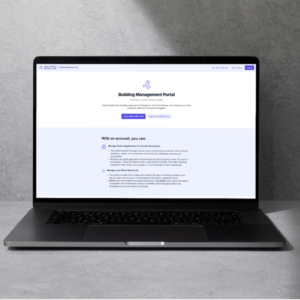
The Church of England provide the OPRS which allows parishes to submit their responses for the Statistics for Mission, Annual Return of Parish Finance and Energy Footprint Tool easily online. The OPRS can be accessed directly at parishreturns.churchofengland.org or via the Church of England portal at cofeportal.org, where you can find access to many other Church of England websites and resources.
If you already have an account but need a reminder of your username or password, please use the ‘forgotten password’ tool or email ku.gro.coidsolg@snruterhsirap.
If you do not have an account, please email ku.gro.coidsolg@snruterhsirap and a new account will be set up for you.
If you are unable to complete your responses online, you can complete the Word or Excel versions of the forms (see below) and return them to ku.gro.coidsolg@snruterhsirap or to Parish Returns, Church House, 5 Denmark Road, Gloucester GL1 3HW.
Statistics for Mission
Click here for a national roundup of the Statistics for Mission 2024 →
The Statistics for Mission form for 2025 on the OPRS has now closed. If you have not submitted your return, you can still complete the form at the top of this page and return it to ku.gro.coidsolg@snruterhsirap. Any forms received will be added in due course.
Return of Parish Finance
This Return provides a valuable snapshot of the financial strength of your parish at the year end, with the details being pulled from your annual accounts.
If you use the Diocesan Cashbook from our website, the final tab of the Excel workbook is the same as the Return, therefore automatically pulling together the information you need to submit via the OPRS.
The Return of Parish Finance on the OPRS is now available for completion. The deadline for the Return to be completed is 28 June 2026.
In addition to completing the Return of Parish Finance, and as stated in the Church Representation Rules (part 9 M5 (8) parishes should forward a copy of their annual report and financial statements to the GDBF within 28 days of approval. These can be emailed to the Finance Team at ku.gro.coidsolg@maetecnanif or posted to Church House.
Energy Footprint Tool
The Energy Footprint Tool is now open for you to complete. The deadline for responses is 30 June 2026.
For more information, please click here.
Parish Dashboards
The Online Parish Returns System allows you to download a single page Statistics for Mission Dashboard which provides charts and information of the change in attendance, electoral roll, baptisms, marriages and funerals and worshipping community over the previous ten years. There is also a Finance Dashboard providing charts and information on the income, expenditure, gift aid and other analysis for the previous ten years.
The dashboards with information including your 2024 data are now available.
To access your dashboard, sign into the OPRS and click on the ‘View Data’ button at the top. If you would like this emailed to you, please request this at ku.gro.coidsolg@snruterhsirap.